All-in-One Precision Tracking
for Every Scene
 Effortless Motion Tracking: Auto-lock moving subjects in 3 simple
clicks
Seamless Planar Tracking: Perfectly map graphics onto any flat
surface
Advanced Mocha Plugin: Hollywood-grade tracking for the toughest
shots
Effortless Motion Tracking: Auto-lock moving subjects in 3 simple
clicks
Seamless Planar Tracking: Perfectly map graphics onto any flat
surface
Advanced Mocha Plugin: Hollywood-grade tracking for the toughest
shots
 4.7
4.7
Point-Based Motion Tracking Technology
Filmora's motion tracking feature uses a point-based method to follow moving objects throughout your video. By analyzing the changing position of a single reference point frame by frame, it allows you to attach elements like text, emojis, or graphics that move naturally with your subject. Whether you're tracking a face, a car, or a pet, the process is intuitive and efficient for all skill levels.


AI-Powered Object Tracking
Dynamic Overlays That Move Naturally
One-Click Censorship for Moving Subjects
Point-Based Planar Tracking Technology
Filmora's planar tracking uses a four-point tracking method, also known as corner pin tracking, which tracks four reference patterns in a video clip or film to gather information on position, scale, and rotation. The four trackers analyze the relationships between the reference patterns, such as the corners of a PC screen or a license plate, allowing you to attach another clip, text, or image to them, much like adding a picture to a frame.


Auto Planar Tracking Mode - Easy Tracking for Beginners
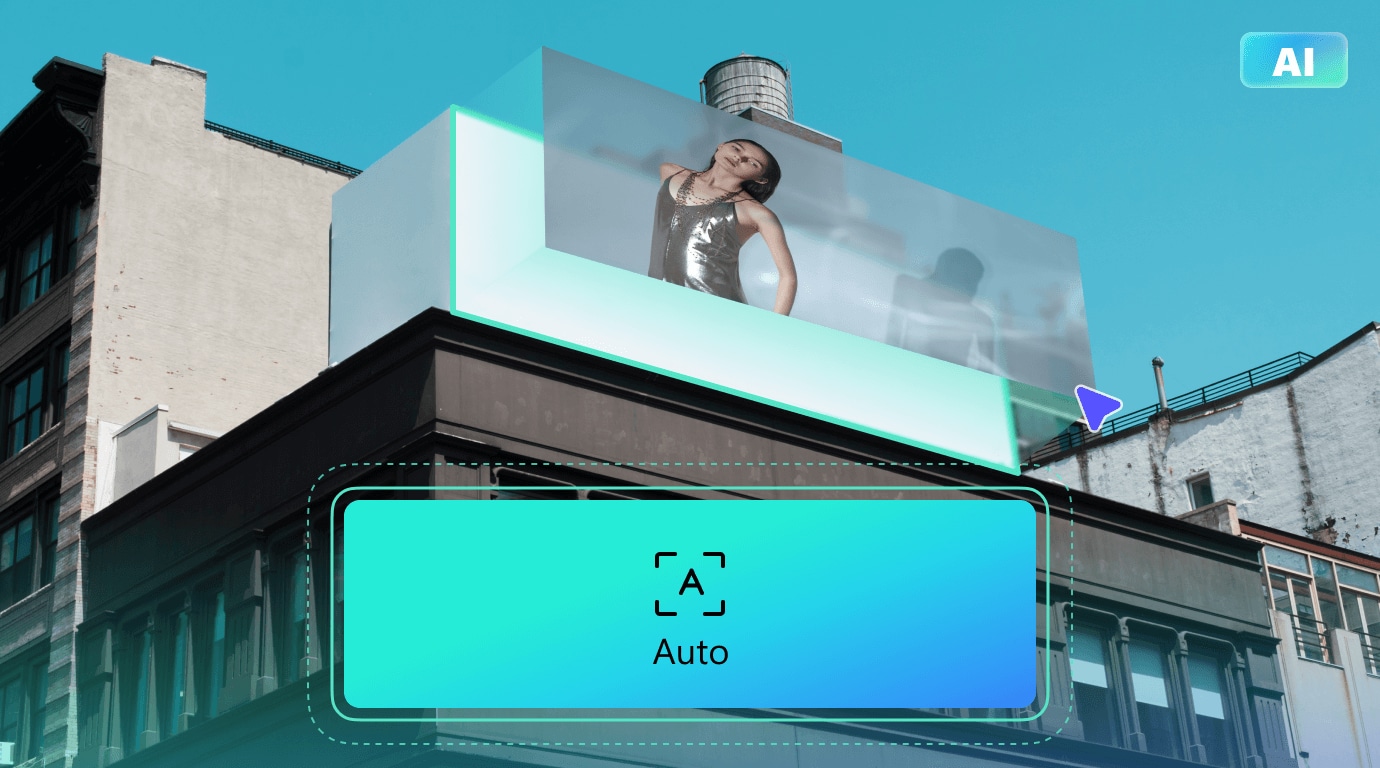
Advanced Controls for More Precision
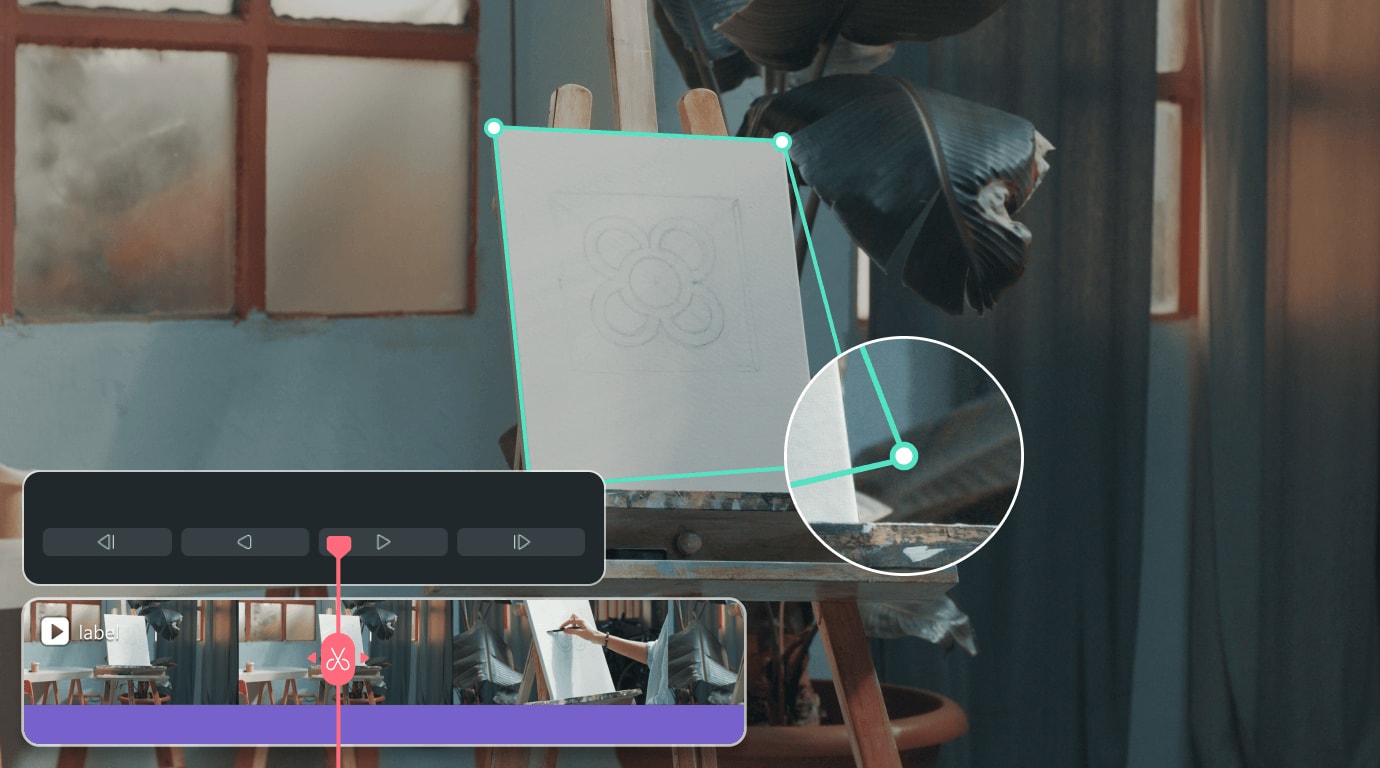
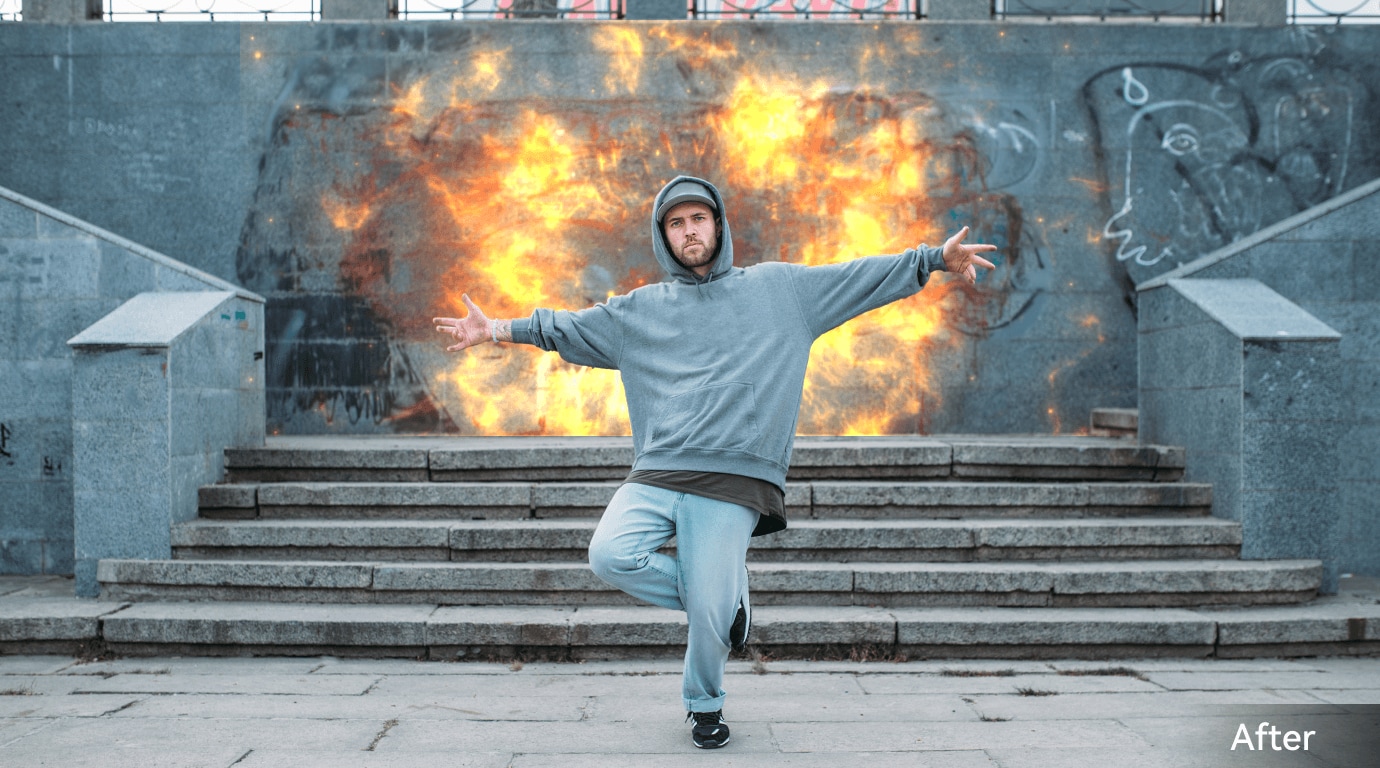

Synergizes with other Filmora features
Plane-Based Tracking Technology
Mocha's industry-leading plane-based tracking analyzes entire surface textures and patterns rather than individual points, providing rock-solid stability even when surfaces partially leave the frame or undergo complex transformations.


Industry-Leading Planar Tracking Stability
- Tracks flat surfaces through camera movement
- Stays accurate with partial occlusion
- Handles motion and distortion smoothly
- Ideal for screen and surface inserts
PowerMesh Tracking for Organic Motion
- Adapts to curves and deformations
- Maintains natural lighting and shading
- Jitter-free tracking on soft materials
- Perfect for advanced VFX work
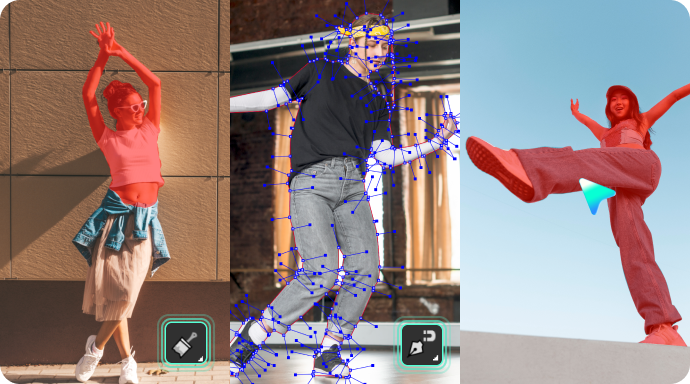
Smart Masking and Seamless Inserts
- Quick masking with Object Brush
- Grid Warp fits inserts to curves
- Matches motion blur and angle
- Works with planar or mesh data
How To Use Tracking Tools in Filmora
Step 1 Enable Motion Tracking
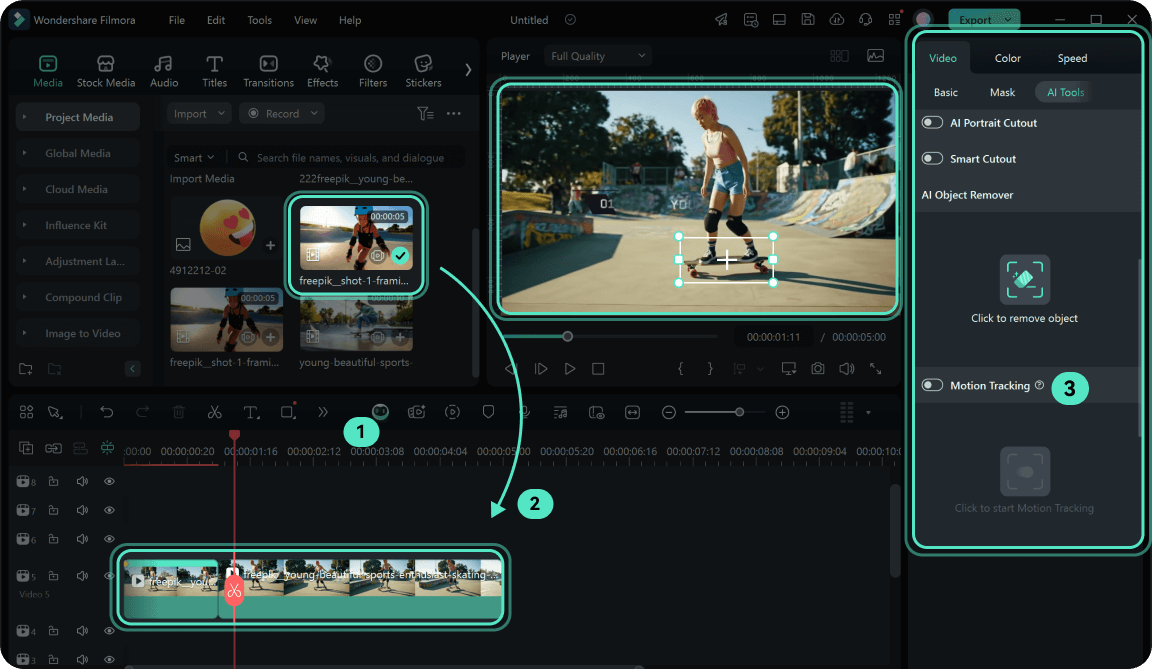
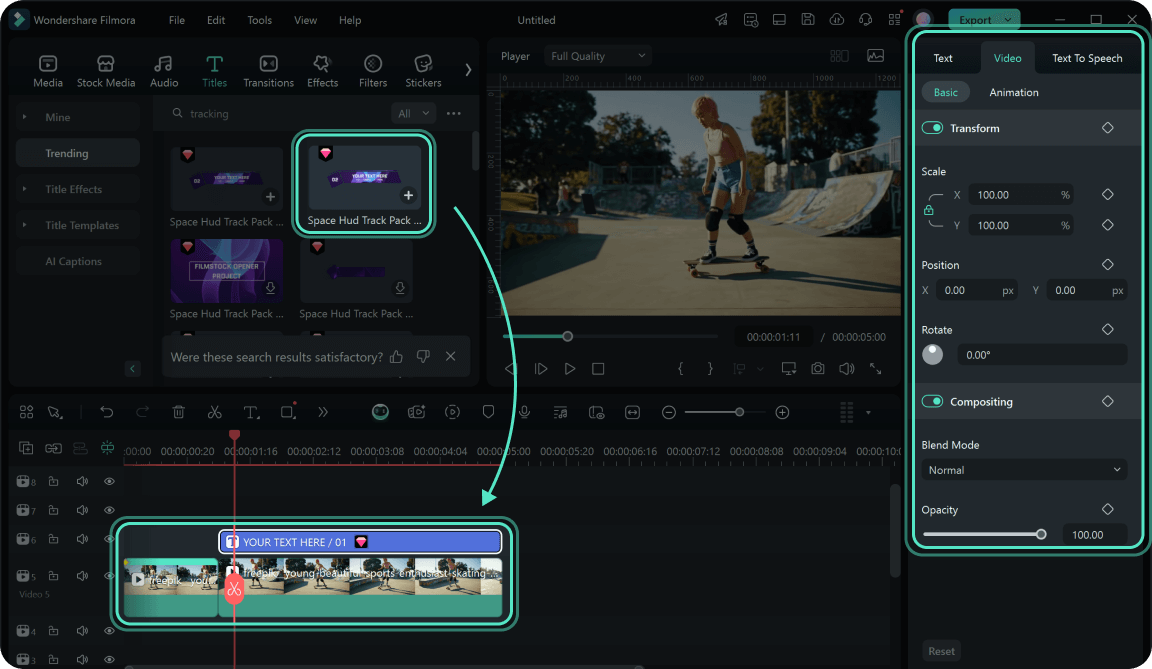
Step 2 Add the Element That Will Follow the Moving Object
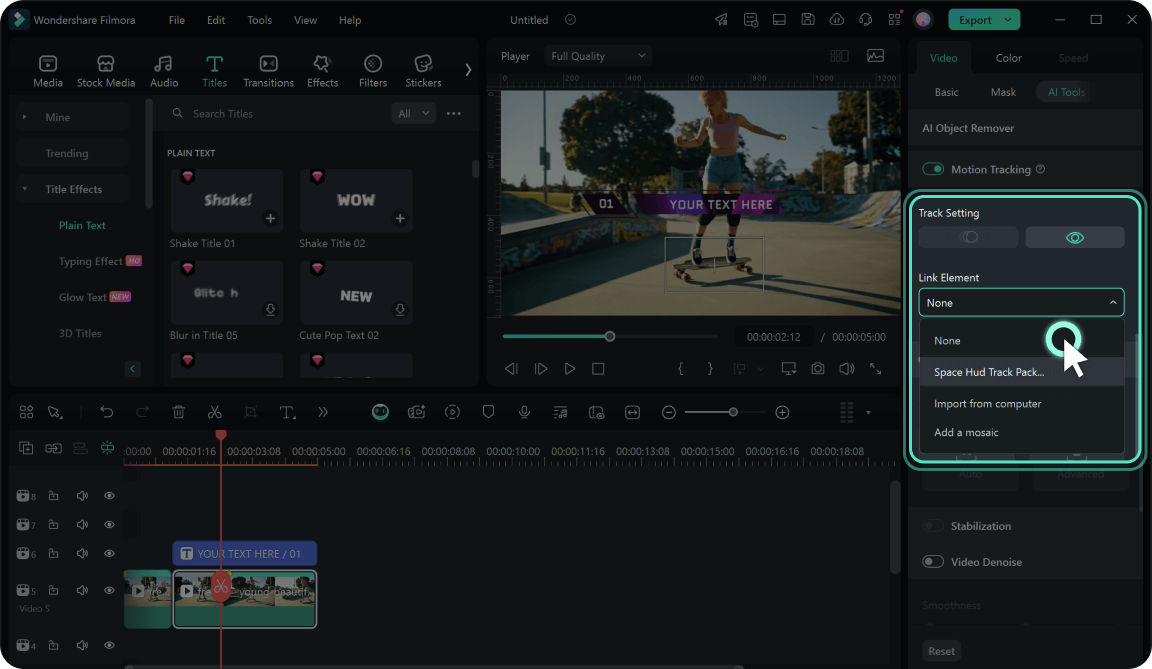
Step 3 Pin the Element to Follow the Motion
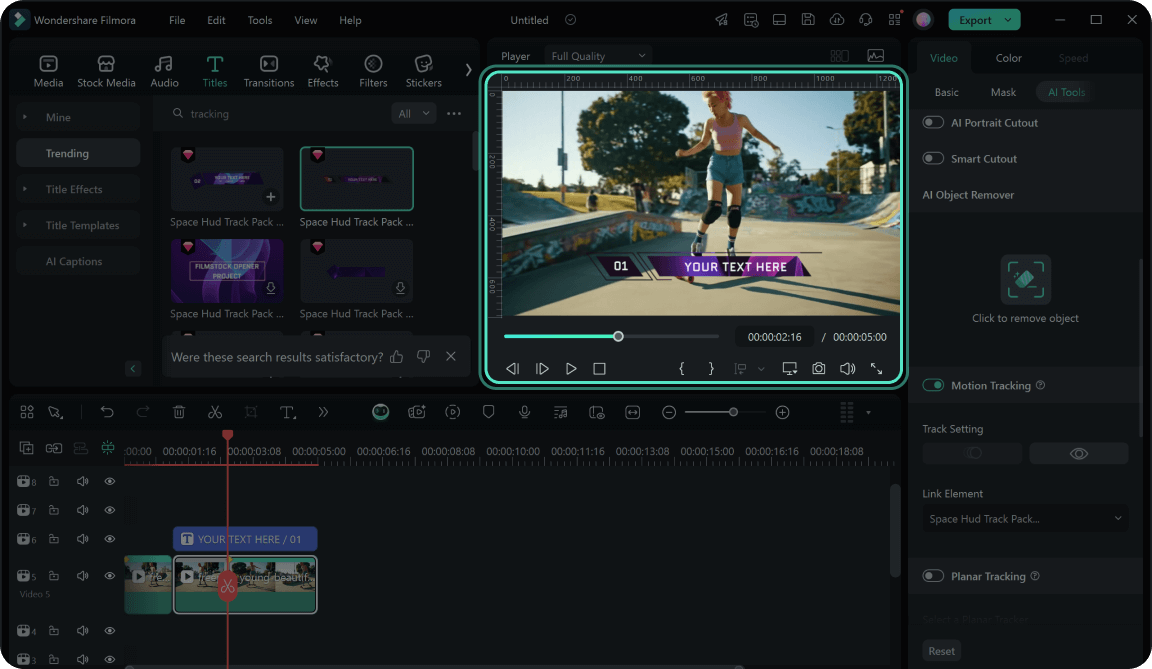
Step 4 Playback and Check the Tracking Result
-
Step 1: Enable Motion Tracking
Import your video into Filmora. Click the tracker icon on the toolbar and select Motion Tracking. Move the tracker box over the target object, adjust its size, and click Start Motion Tracking. -
Step 2: Add the Element That Will Follow the Moving Object
Add text, graphics, or any other element to the track above the clip. Adjust its properties if necessary. -
Step 3: Pin the Element to Follow the Motion
Link the element in the dropdown menu under Motion Tracking to make it follow the tracked movement. -
Step 4: Playback and Check the Tracking Result
Preview the motion tracking results in the Player window to ensure the element moves smoothly with the object.
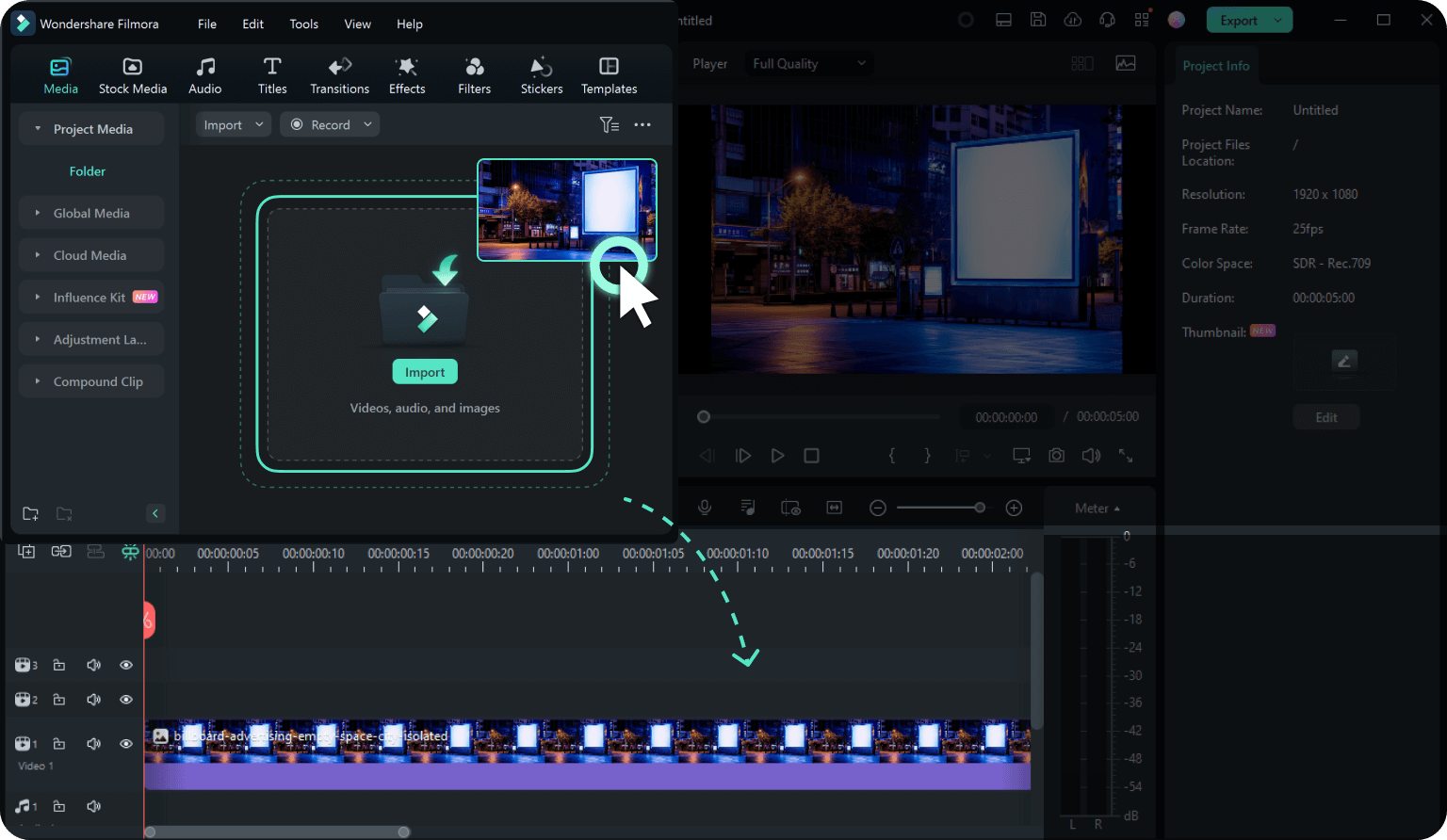
Step 1 Import Video Footage into Filmora
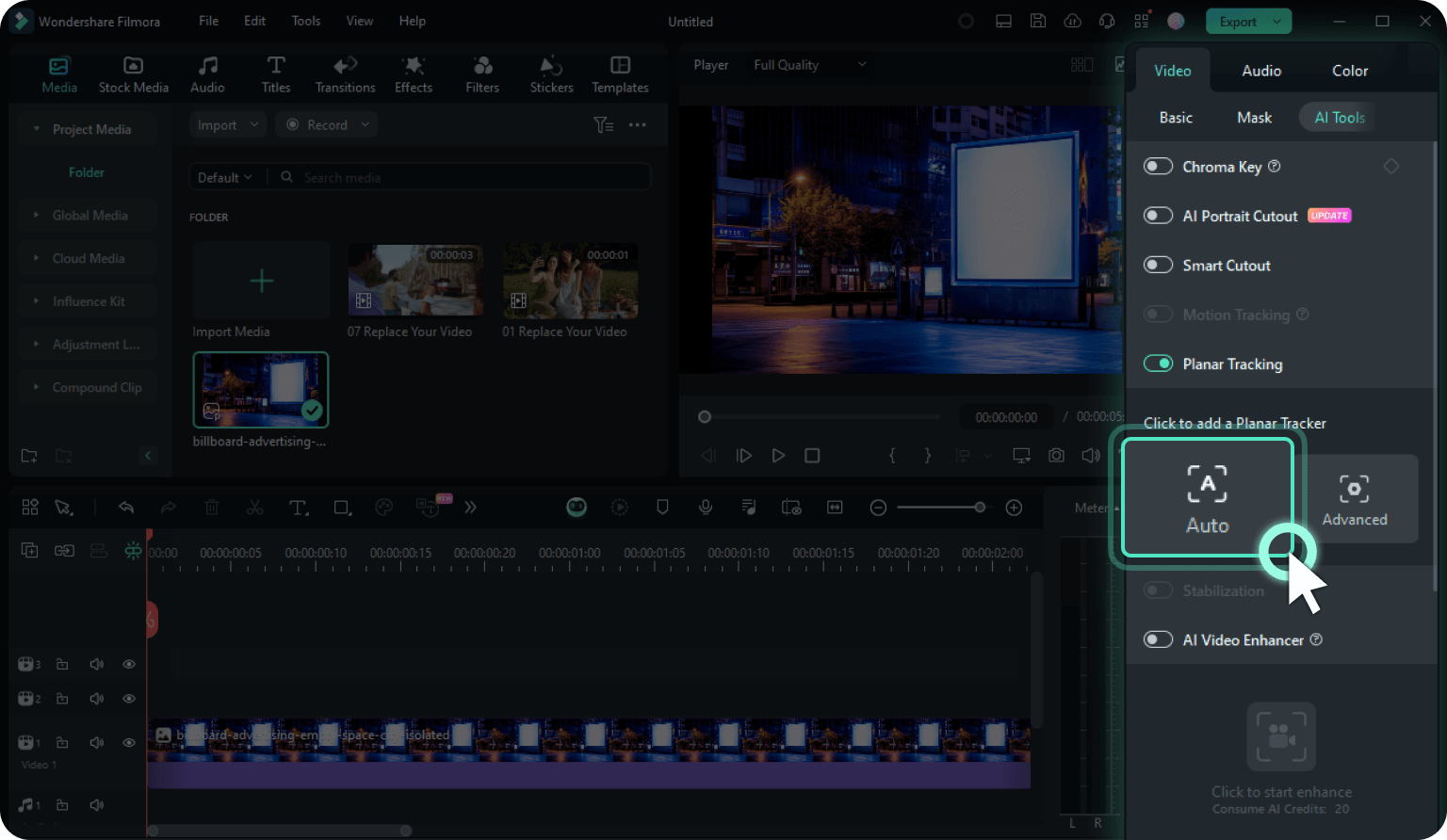
Step 2 Enable Planar Tracking
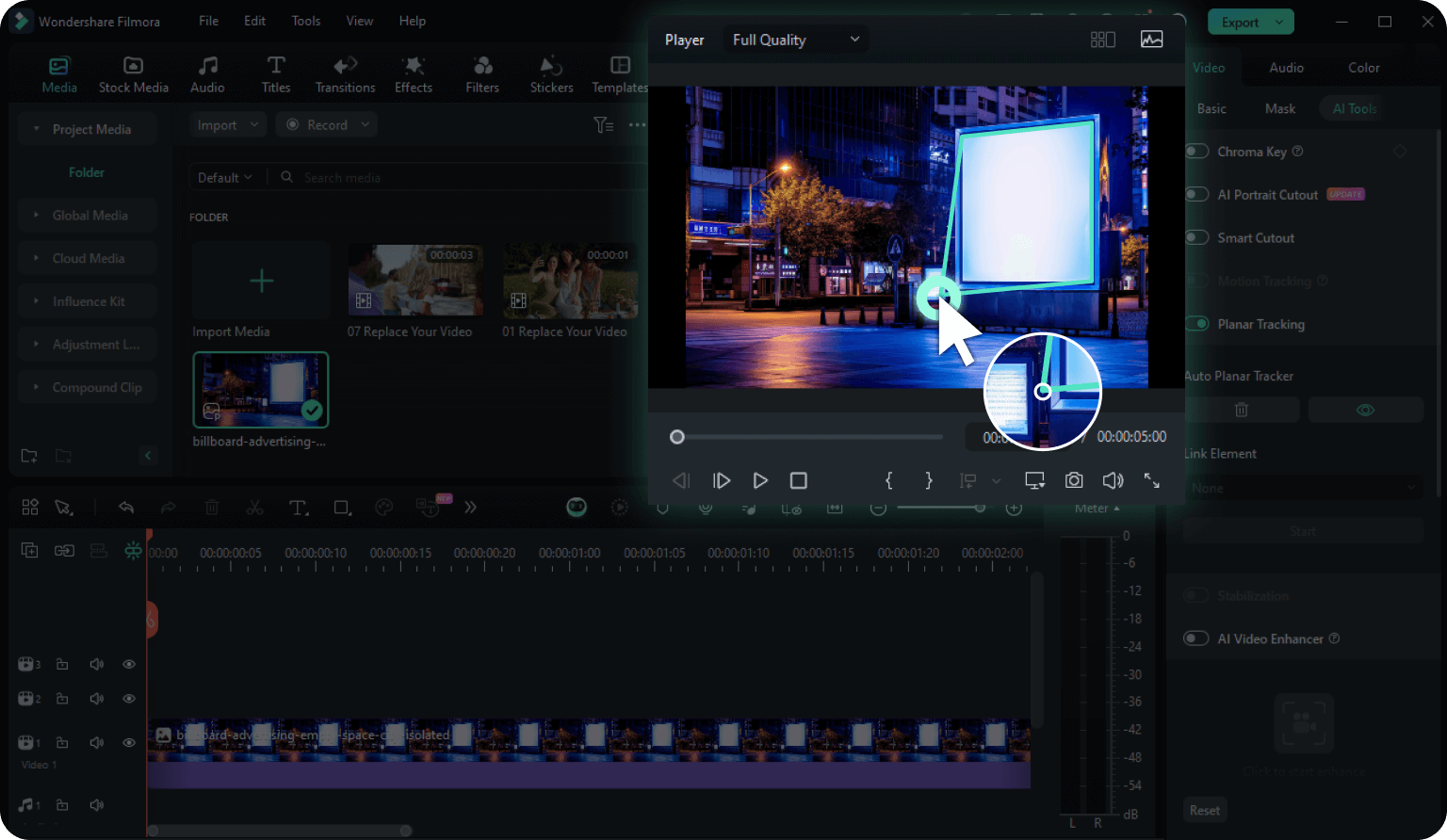
Step 3 Track a Planar Surface
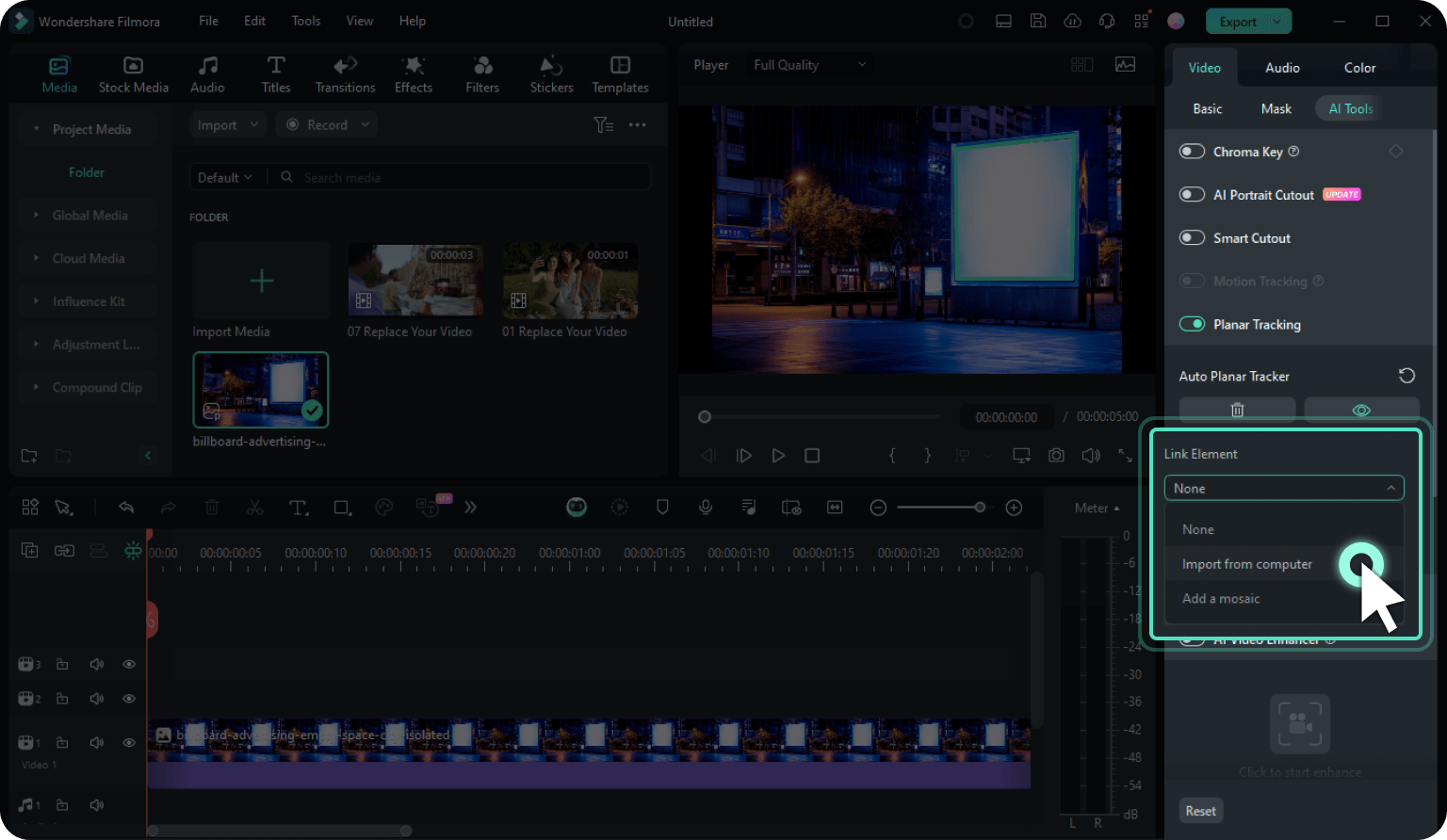
Step 4 Select the Binding Object
Step 5 Adjust the Parameters
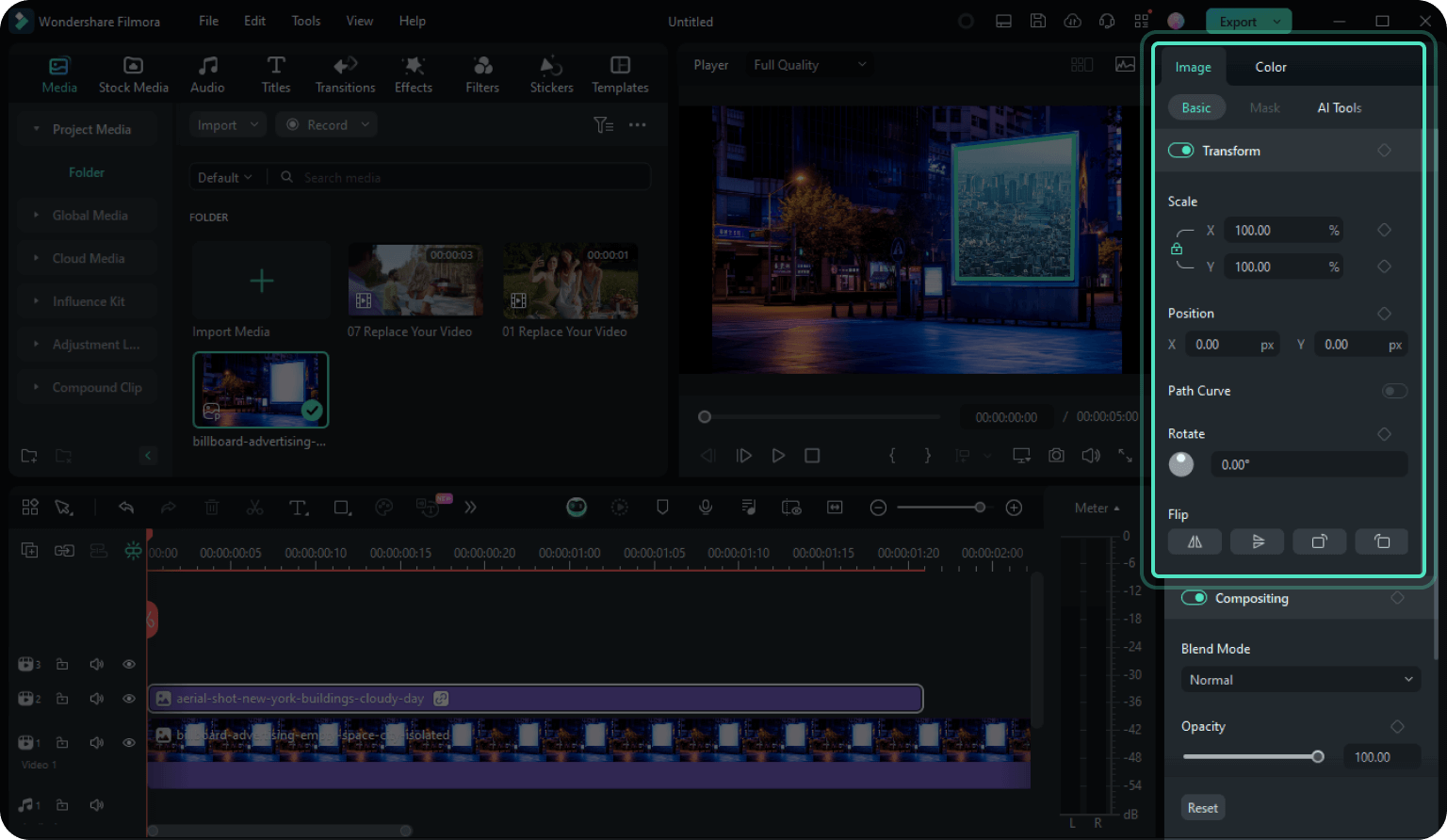
Step 5 Complete and Export
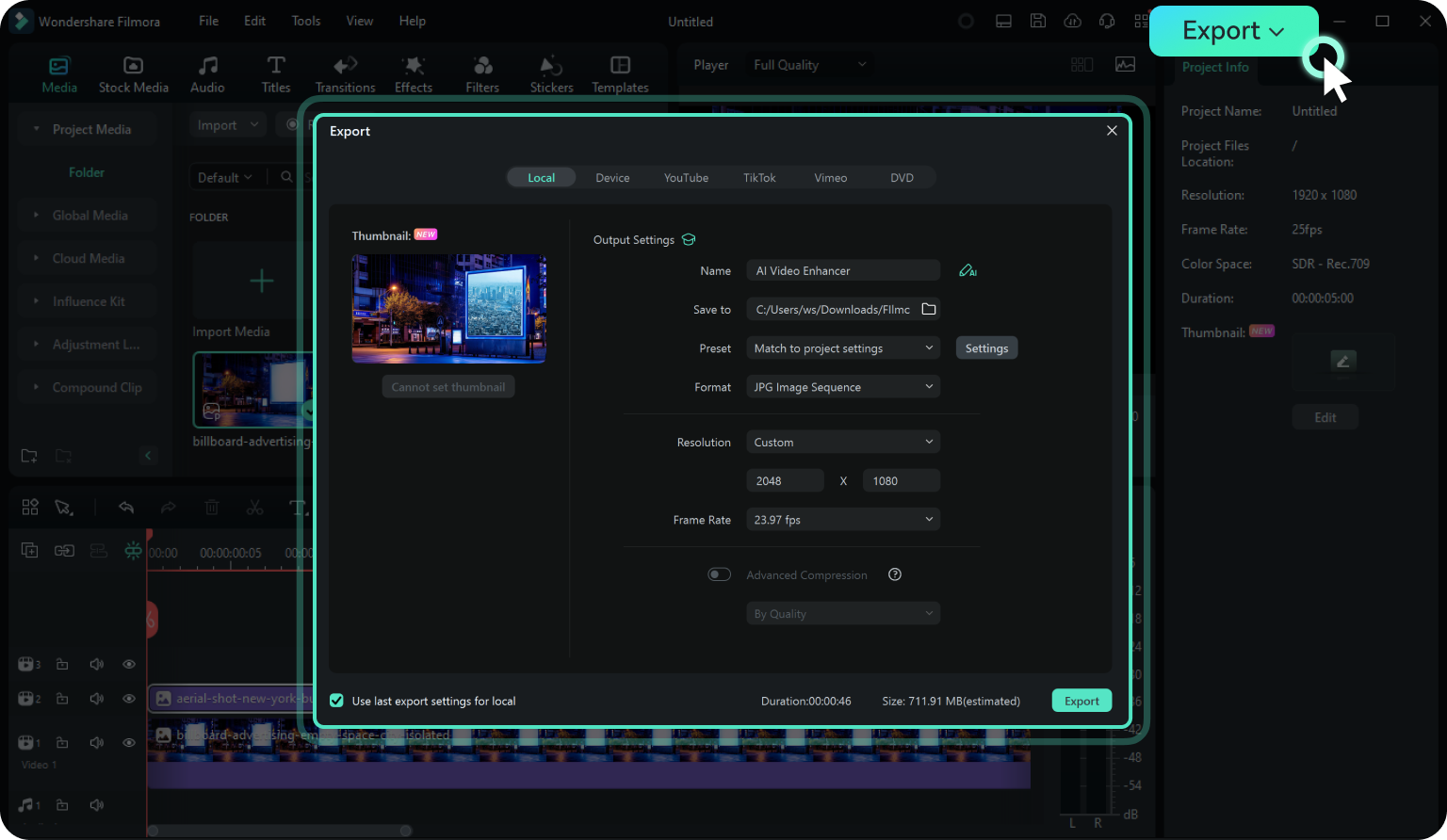
-
Step 1: Import Video Footage into Filmora
Click on Import or drag your video clip to Filmora. Add it to the timeline and make necessary edits before you start planar tracking. -
Step 2: Enable Planar Tracking
Select your video clip in the timeline and navigate to the Video tab in the Properties panel. Go to AI Tools and toggle the slide button to enable Planar Tracking. Select the Auto mode. -
Step 3: Track a Planar Surface
The tracker will appear in the preview window. One by one, grab the four points of the tracking box and move them to the plane you want to track. Click on the Start button and wait for the tracking process to complete. -
Step 4: Select the Binding Object
Choose the bound object in the Properties panel. The bound object can be a video, image, text, mosaic, or anything else from Filmora's Stock Media or media imported from the computer. -
Step 5: Adjust the Parameters
Corner pinning properties will be added to the bound clip, automatically stretching to fill the planar tracker. You can also adjust the Scale, Position, Rotate, and Flip values in the Transform properties to fit your needs. -
Step 6: Complete and Export
Preview the results. If you are satisfied, click the Export button to export your video.
Step 1 Access Mocha Plugin
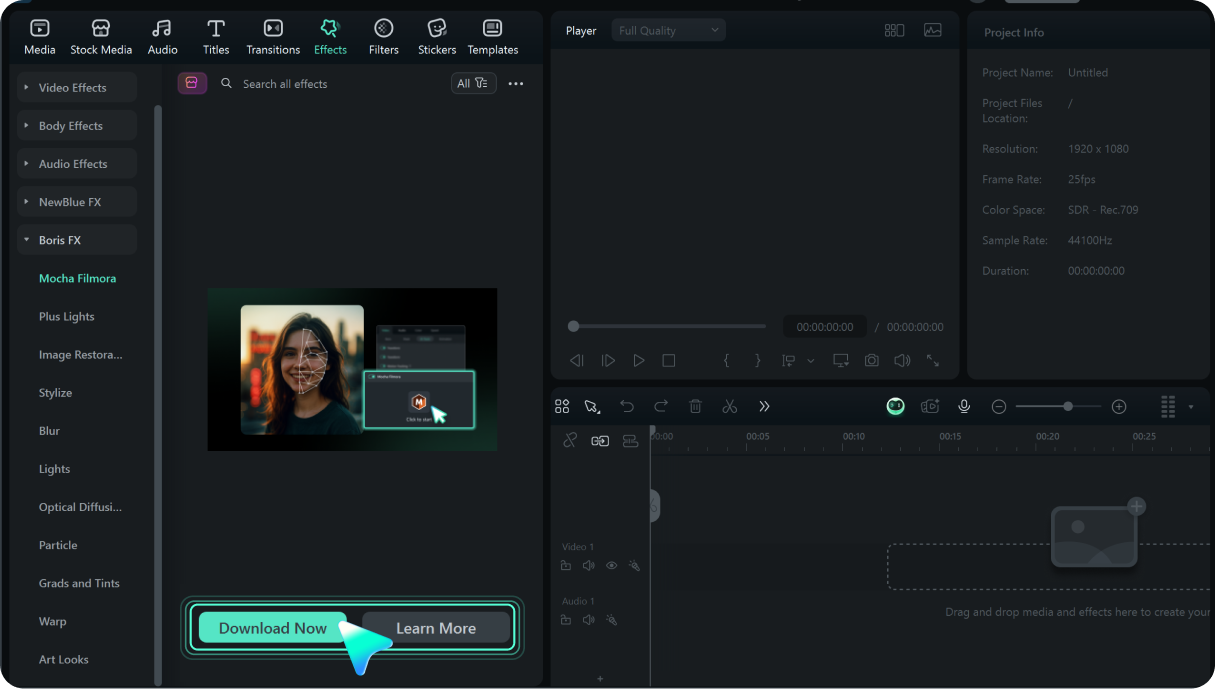
Step 2 Apply Mocha to Your Clip
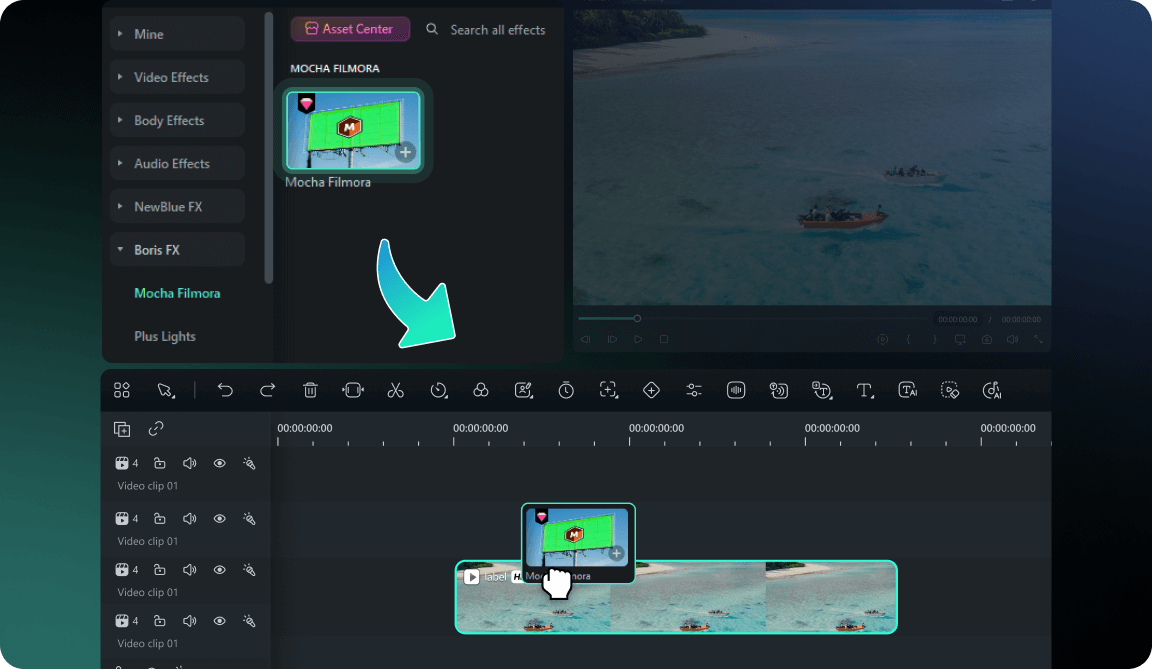
Step 3 Launch Mocha Interface
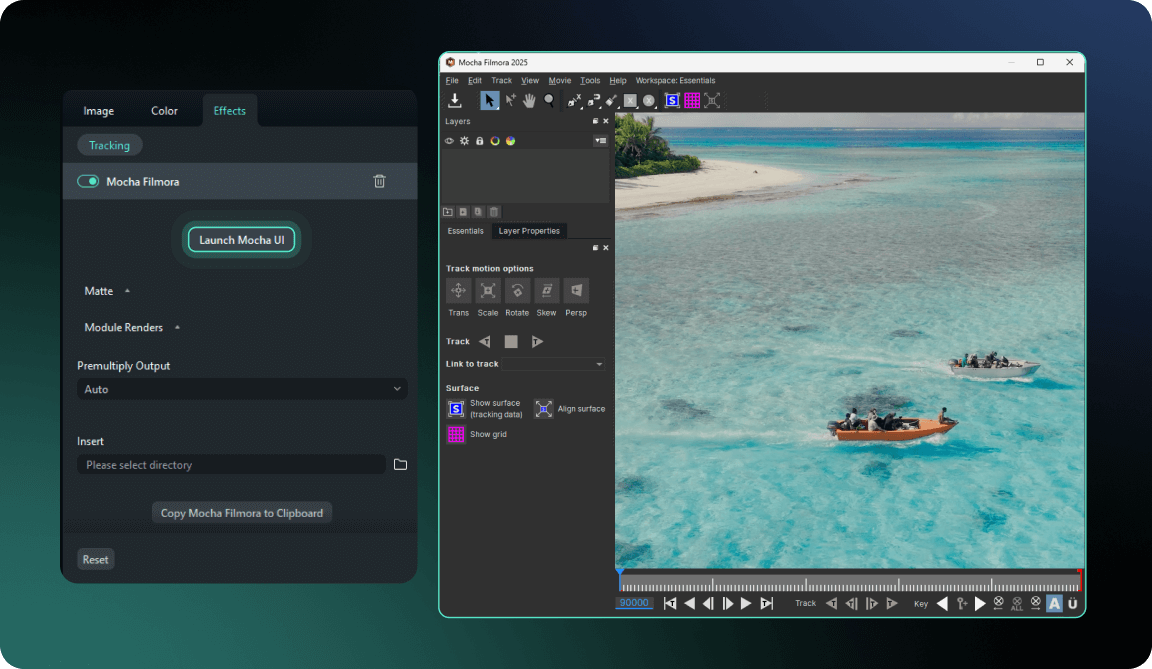
Step 4 Create Tracking Shapes
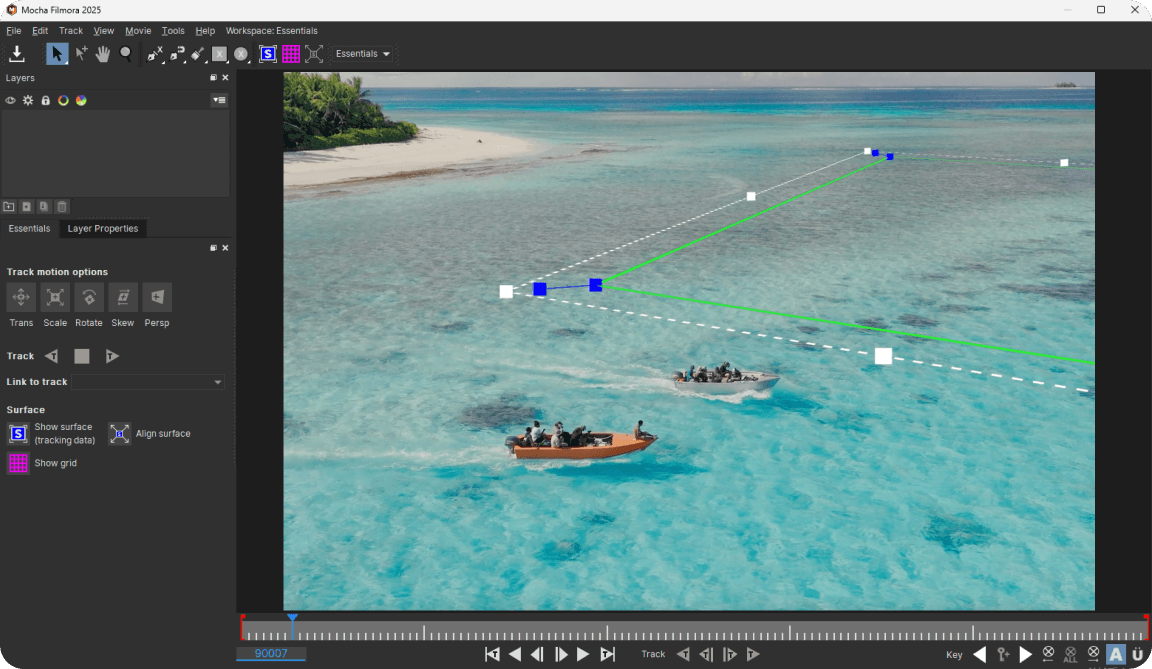
Step 5 Execute Plane Tracking
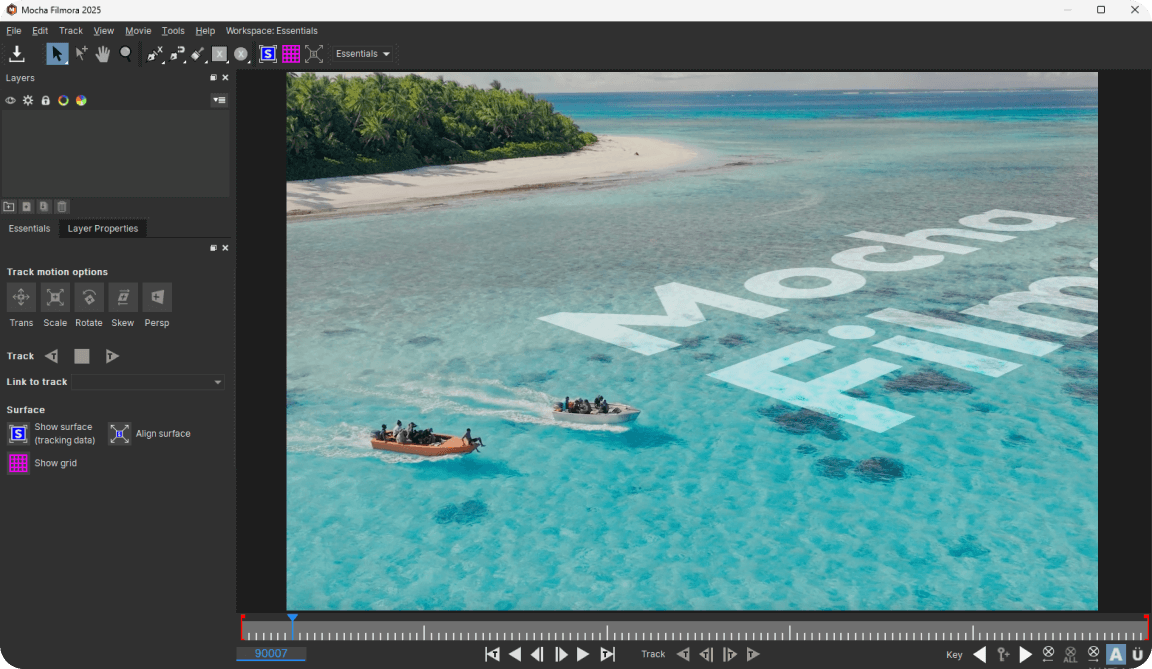
Step 6 Export to Filmora
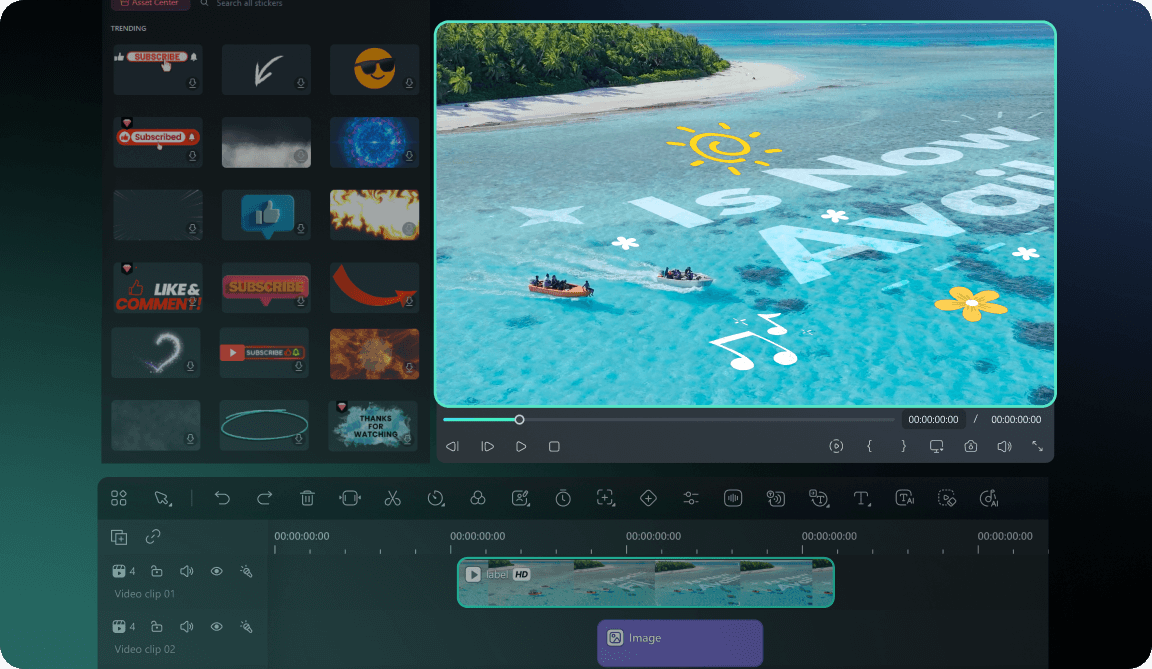
-
Step 1: Access Mocha Plugin
Navigate to Effects > Boris FX > Mocha Filmora and click "Download Now" to install the plugin. No registration required for Filmora users. -
Step 2: Apply Mocha to Your Clip
Drag the Mocha Filmora effect onto your video clip. The Properties panel will dynamically load the Tracking module interface. -
Step 3: Launch Mocha Interface
Click to enter the Mocha plugin interface where you can create tracking shapes and define the planar surface for analysis. -
Step 4: Create Tracking Shapes
Use Mocha's spline tools to outline the planar surface. Draw around areas with good texture and contrast for optimal tracking results. -
Step 5: Execute Plane Tracking
Start the tracking process. Mocha will analyze the entire surface texture. You can then integrate it with Mocha’s Insert module or Masking & Roto tools for creative work. If you are new to Mocha, you can View full Mocha tutorial >> -
Step 6: Export to Filmora
Transfer tracking data back to Filmora and continue your editing or export video directly.
Feature Comparison
Motion Tracking vs. Planar Tracking vs. Mocha
Filmora
| Feature | Built-in Planar Tracking | Built-in Montion Tracking | Mocha Planar Tracking |
|---|---|---|---|
| Tracking Algorithm | Point-based tracking | Point-based tracking |
Surface-based planar tracking
|
| Stability |
Great for basic motion
|
Basic stability |
Rock-solid in difficult conditions
|
| Occlusion Handling | Limited capability |
Partial occlusion support
|
Advanced occlusion recovery
|
| High-Speed Objects |
Good for simple motion
|
Handles medium speed |
Excellent high-speed tracking
|
| Mesh Tracking | Not supported | Not supported |
PowerMesh sub-planar tracking
|
| Learning Curve |
Beginner-friendly
|
Beginner-friendly
|
Professional level |
| Setup Time |
Instant
|
Instant
|
Quick download & install |
When to Use
Motion Tracking

When to Use
Planar Tracking
When to Use
Mocha Tracking


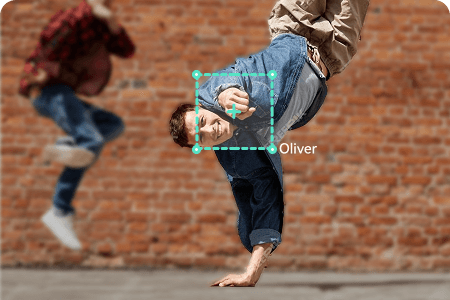
Make names, callouts, or captions follow a moving person.
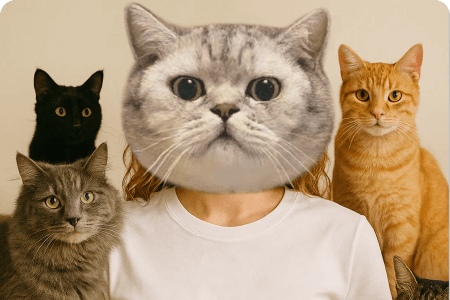
Attach fun elements like emojis to people or pets in motion.

Apply automatic mosaic to track and blur sensitive objects.
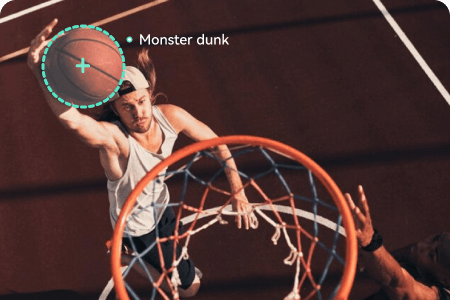
Tag hand or body movement with synced text.
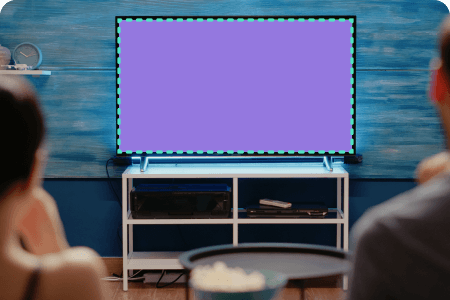
Replace content on TV or phone screens.

Pin graphics onto architectural surfaces in motion.
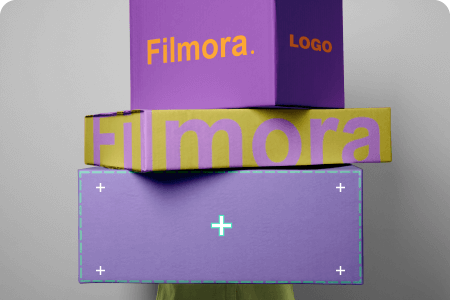
Overlay logos or icons on boxes, bags, or flat packages.

Apply stylized textures onto flat surfaces.
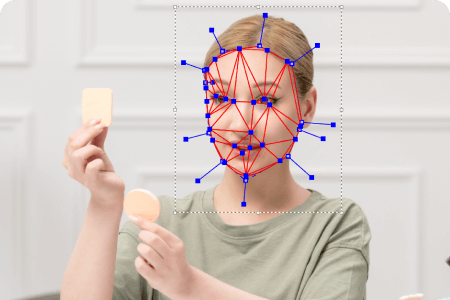
Follow wrinkles, skin, or fabric with mesh-level precision.
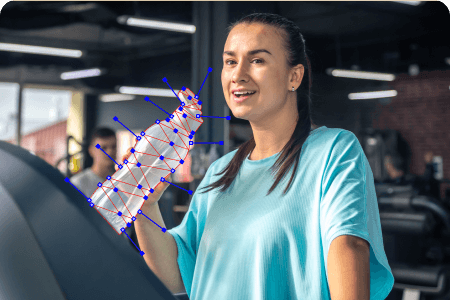
Attach graphics to curved surfaces with realistic motion.
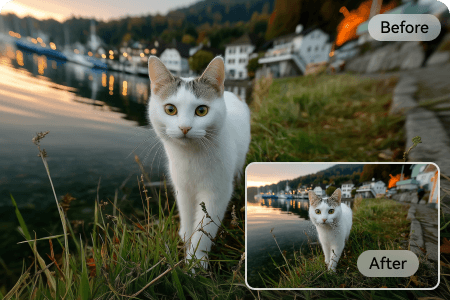
Fix barrel distortion from wide-angle lenses for pro footage.
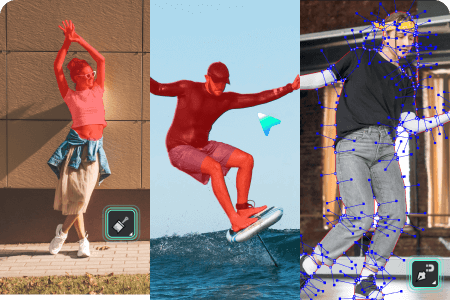
Isolate and edit complex moving objects.
Frequently Asked Questions
What Our Customers Say About Us

Bane B

David Kuc

Lily K.

Katherine Kowalski