Filmora Video Editor
Add Subtitles to Video
Faster & Smarter
Tired of typing word-by-word? Try Filmora's AI Auto Caption to automatically turn voice into perfectly synced subtitles in seconds.
Try It Now
Windows 11 and below (64bit)
Try It Now
macOS 10.15 - macOS 26

Auto Subtitle in Seconds

Fully Customizable Captions

30+ Languages Supported

Import & Style SRTs
Filmora is Here to Help
Boost Your Subtitle Editing Efficiency
Auto Subtitle Generation in One Click
- 99% Accuracy: Auto-splits sentences by pause.
- Active Words: Word-by-word dynamic highlight.
- AI Key Words: Auto-highlights important phrases.
- Auto-Detect Language: No manual setup needed.
- Multi-Speaker Tags: Auto-labels separate voices instantly.
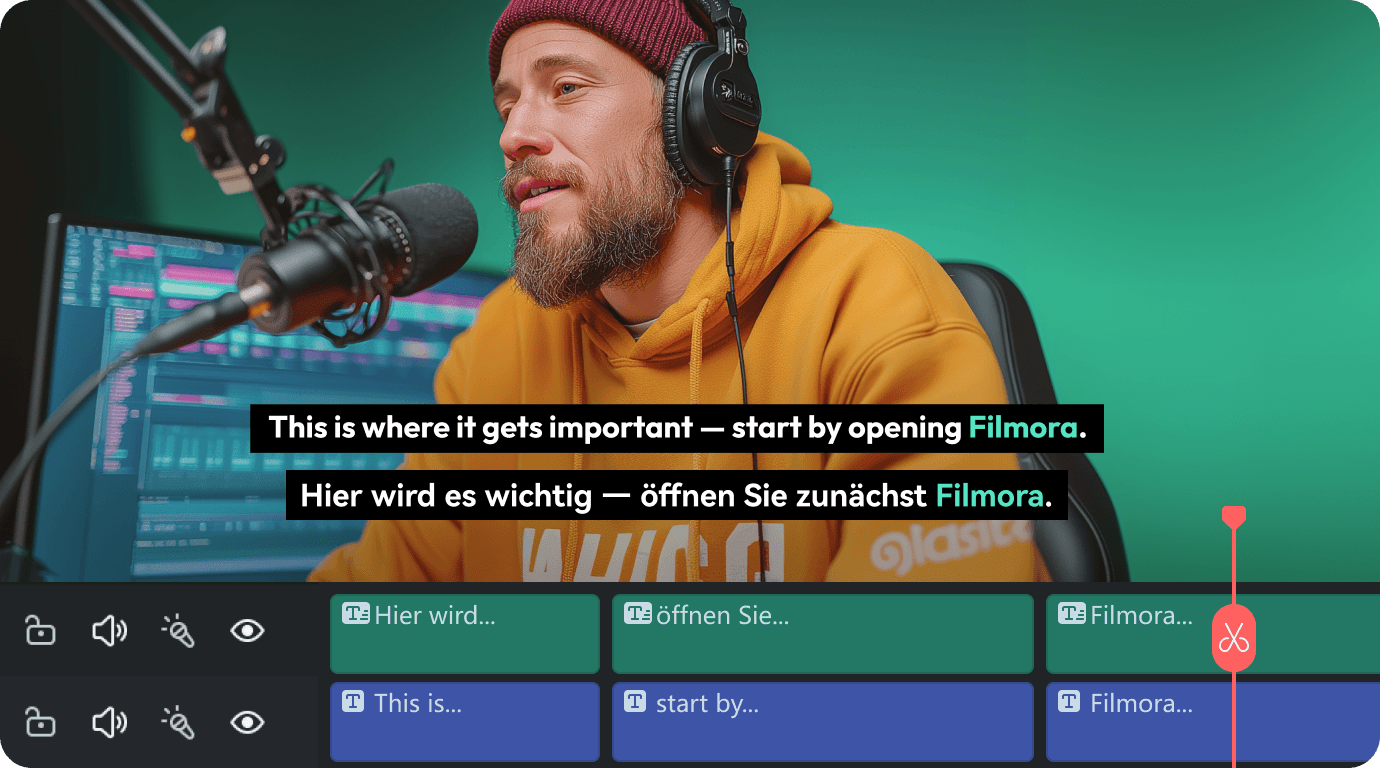
Multi-Track Subtitle Editor
- Track-Level Apply: Style one track independently—no cross-track mess.
- Smart Text Defaults: Auto-optimized text size and spacing for Win & Mac.
- Overflow Warning: Red flags at 1,500 characters to save layouts.
- Stacked Multi-Layering: Effortlessly manage multi-speaker videos.
- Bulk Time-Savers:Global find & replace with precision editing.
Cinematic 3D Animated Captions
- 100+ Trendy Templates: Bubble, Neon, Karaoke, and TikTok presets.
- 120+ Motion Animations: Dynamic In, Out, and Loop movements.
- 13 Text Keyframes: Precision color, glow, shadow, and opacity controls.
- 3D Spatial Text: 0-360° offset controls for true cinematic depth.
- Bubble & Bezier: Custom curved text paths and styles.
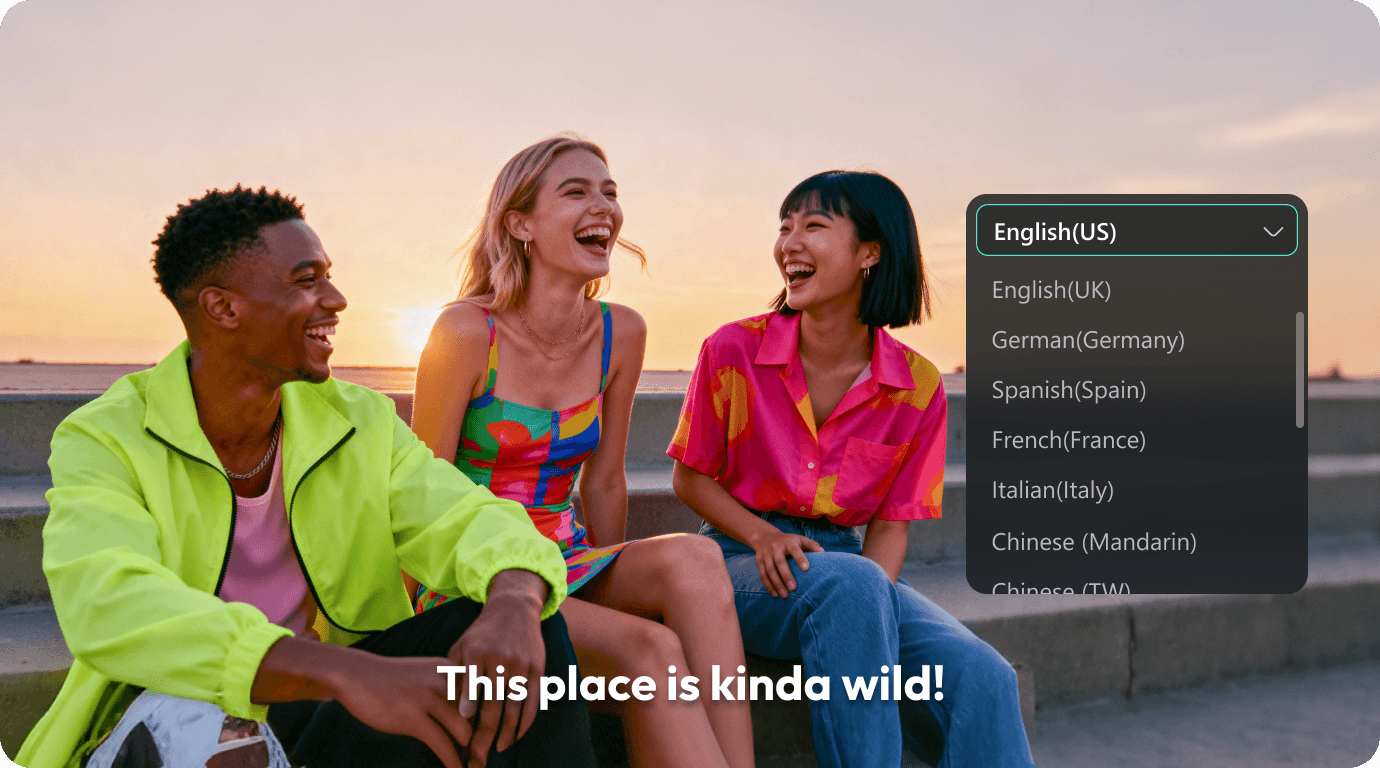
Translate Captions to 30+ Languages
- 30+ Global Languages: English, Spanish, German, and more.
- RTL Script Support: Perfect layout alignment for Arabic and Hebrew.
- Smart Bilingual Display: Keep original styles, clear translated tracks.
- Auto-Timed Sync: Sync animations across language tracks.
- AI Voice Dubbing: Instant voice cloning and lip-sync.
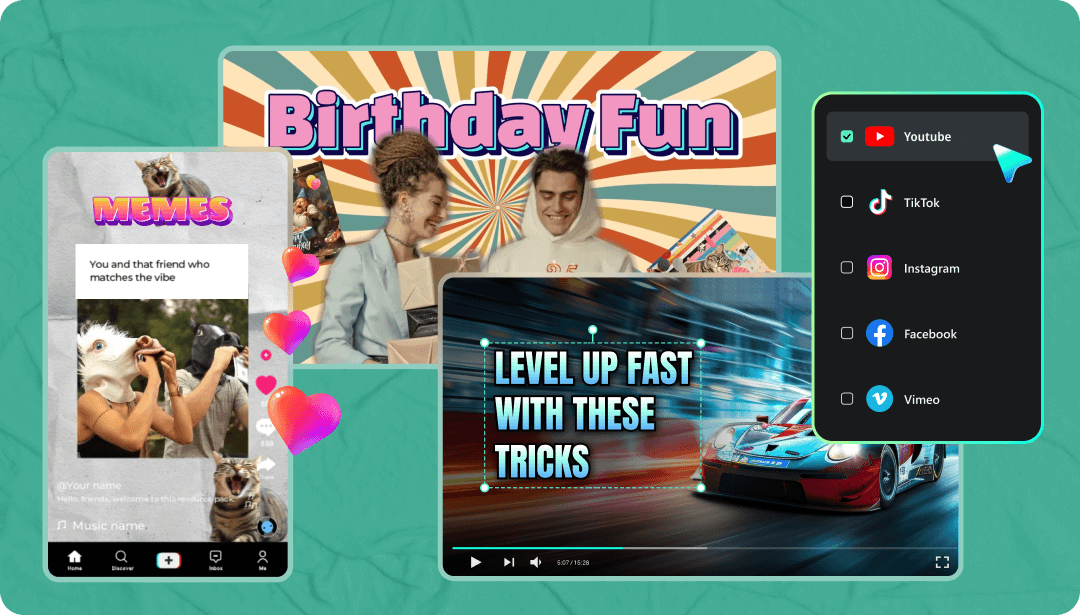
Made for Social Media. Built for Speed.
- Access thousands of subtitle presets designed for TikTok, YouTube Shorts, Instagram Reels, and more.
- Export your videos in all major formats including MP4, MOV, MKV, portrait, square, and widescreen.
- Share your content to social platforms with just one click.
Why Choose Filmora to Add Subtitles?

Save Time
Let AI turn speech into subtitles with up to 99% accuracy. Skip manual typing and speed up your editing process.

Engage Without Sound
Most people watch videos on mute. Subtitles help you deliver your message clearly and keep viewers watching longer.

Look Professional
Stylish animated captions instantly upgrade your video. Build a polished and recognizable style with minimal effort.

Reach More People
Subtitles make your videos more accessible to global and hearing-impaired audiences. Expand your reach and grow your community.
FAQs About Adding Subtitles in Filmora
Is it possible to edit imported SRT files in Filmora?
Absolutely. You can upload SRT or other subtitle files, adjust the text, timing, and apply styles or effects directly on the timeline.
How many subtitle styles are available in Filmora?
Thousands. Filmora includes a huge library of animated text presets and fully customizable caption templates for every type of content.
Can I translate subtitles into other languages?
Yes. Filmora supports automatic subtitle translation in over 20 languages, making it easy to localize your content and reach global viewers.
Will the subtitles stay in sync after editing the video?
Yes. Filmora keeps subtitles aligned even after trimming or rearranging clips. You can fine-tune the timing anytime on the timeline.
More Video-Editing Tools

Green Screen

Audio Mixer

Pan and Zoom

Auto Reframe

Color Tuning

Screen Recording

Audio Equilizer

Video Stabilization

Split Screen

3D Lut

Motion Tracking

Mask & Blend

A Video Editor for
All Creators
Windows 11 and below (64bit) macOS 10.15 - macOS 26
Go to
Mac Version >>
Go to
Win Version >>