
Wondershare Filmora
Halloween Video Maker
Filmora helps you create any scary & fun video, animation, slideshow or gif for your Halloween.
Free Download
For Windows 11 and below
Free Download
MacOS 10.15 - macOS 15
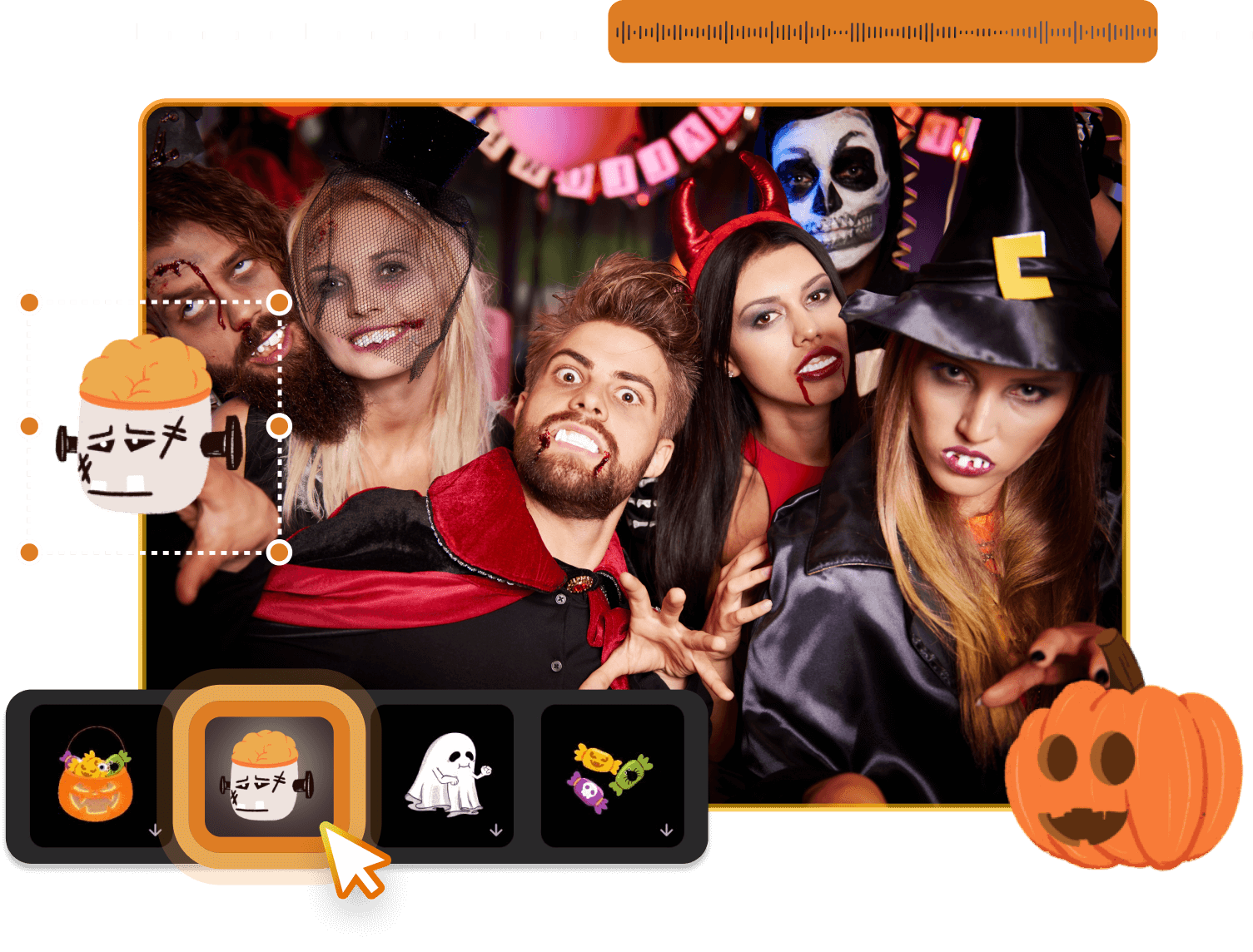

Grab a Template to Create Your Halloween Videos
Explore amazing Halloween video templates for greeting cards, party invites, spooky movies and more to start quickly.
Horror Halloween 02
Dark Halloween 01
Dark Halloween 02
Halloween Horror Vlog
Halloween Party Invitation 03
Halloween Opener 03
Halloween Creepy Hand Intro
Halloween Party Invitation 05


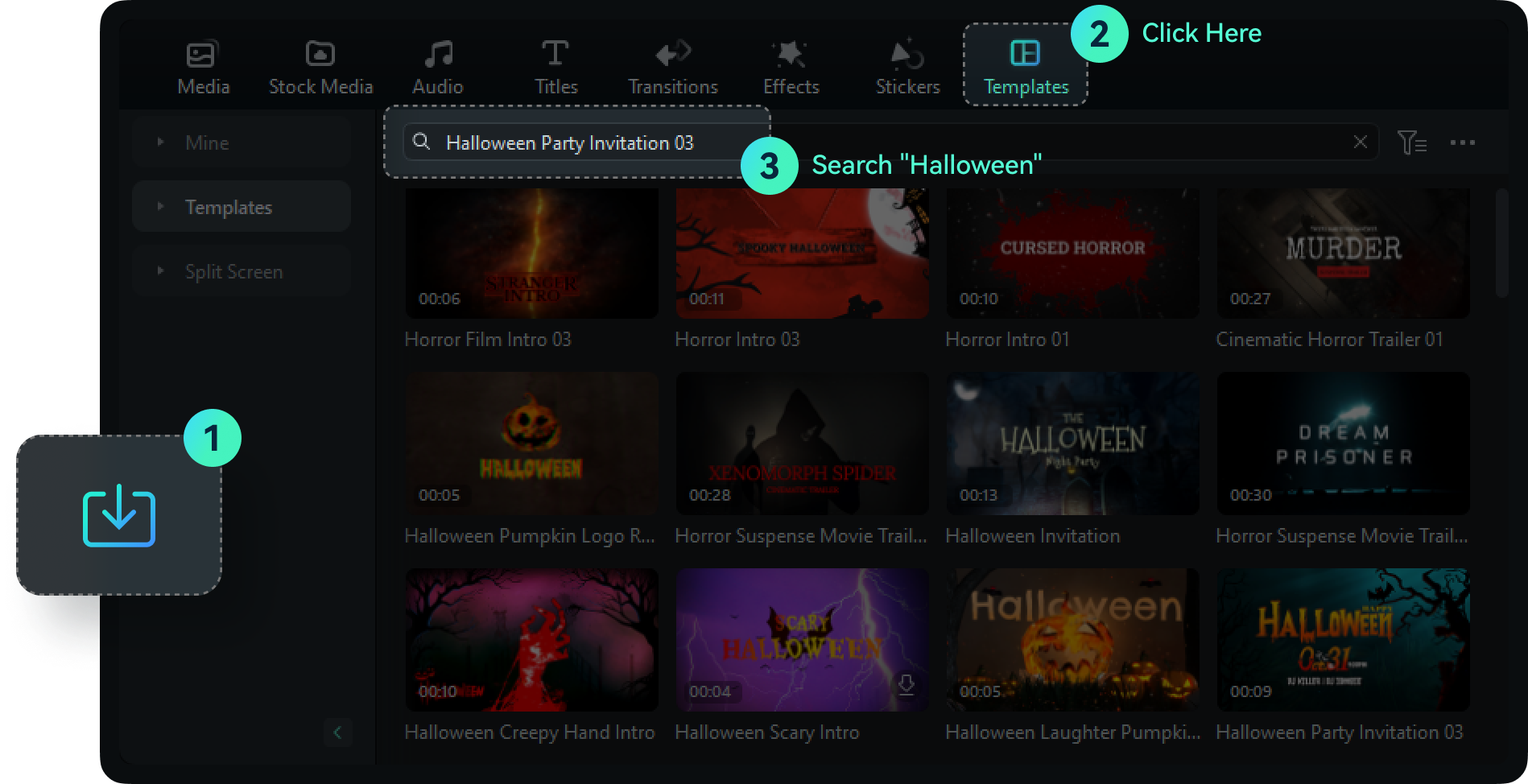
Get Halloween Templates in 3 Easy Steps
Download and launch Filmora, click "Templates", search "Halloween" and you can see the vast collection of Halloween templates.
Start Creating in a Simple Way
You can easily make impressive and captivating videos using Filmora, a video editor for Windows. With Filmora's built-in editing features,
creating videos only requires a few simple steps. Enjoy the powerful features of Filmora video editor with a free download.
creating videos only requires a few simple steps. Enjoy the powerful features of Filmora video editor with a free download.
-
Edit
-
Audio
-
Color
-
Effects
-
UX/UI

Edit
Filmora constantly improves your experience by simplifying features like razor tool, keyframing, and masking. Edit with enhanced features and new shortcuts to double your efficiency!

Audio
Filmora enhanced audio editing with AI-based features like Audio Visualizer and Auto Ducking. With 1200+ royalty-free music, mixing and playing audio with Filmora can be enjoyable.

Color
Filmora allows you to do advanced color grading and color correction within seconds. Try out these color tools to bring magnificence to your artwork.

Effects
Reinforce your video effects with all the amusing titles, transitions, stickers, intros, and outros! Never make a boring video again with this super fun video editor!

UX/UI
Filmora reorganized the editing interface for higher efficiency and flexibility. As a result, you can choose between 5 layouts that best suits your workflow.
Make Professional Videos in a Smart Way
Make Professional Videos in a Smart Way
-
AI Smart CutoutPaint on people, background, or any imperfections to make your videos flawless.
-
AI Audio StretchYour every song is the right song to fit any length of clip with AI Audio Stretch.
-
AI Audio DenoiseNo more wind noise, crowd noise, or any annoying sound. Enjoy the peace that Filmora brings.
-
Auto ReframeResize a row of videos automatically in minutes. No editing skills are required.
-
Silence DetectionCreate a non-stop video full of highlights by cutting all needless pauses smartly.
Advance Your Editing
in an Efficient Way




Edit in Your Own Way
Filmora video editor always tries to cover all creators' needs and bring the best to you.


See What Our Users Have to Say

G2 Crowd
2024 Summer Leader

Shorty Awards
Best in Photo and Video

GetApp
Video Editing Leaders