Best Davinci Resolve Alternative

Edit Videos Like a Pro — No Learning Curve

Start creating high-quality videos in minutes with Filmora’s intuitive interface, powerful AI tools, and built-in creative assets. Professional results without professional complexity

Why Creators Choose Filmora
pic

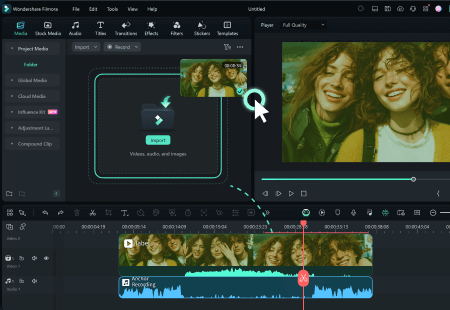
From Simple Cuts to Smart Edits

Edit everything from casual clips to pro-level videos, with AI tools that help you work faster and stay creative.
pic

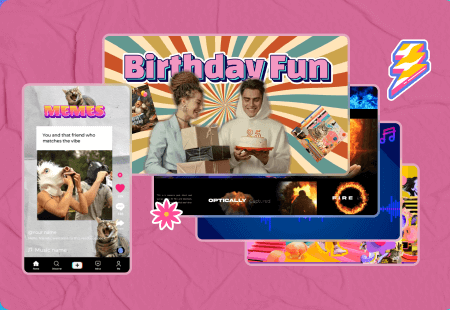
2.3M+ Creative Assets to Elevate Your Video

Access millions of templates, filters, transitions, and music to bring your ideas to life in any style you imagine.
pic

Runs Smoothly On Mid-range Hardware

Lightweight, optimized for mid-range PCs; runs smoothly without high-end hardware.

Compare Key Features and Performance

Filmora

  • Ease of Use

    Intuitive — fast onboarding

  • Hardware requirements

    Mid-range friendly

  • AI-powered tools

    25+ smart AI features

  • Built-in assets

    Millions ready-to-use assets

  • Price

    Free trial • Subscription options

  • Best for

    Social creators, small teams

DaVinci Resolve

  • Ease of Use

    Complex UI — steep learning required

  • Hardware requirements

    Requires powerful GPU & storage

  • AI-powered tools

    Limited automation

  • Built-in assets

    Many assets need external downloads

  • Price

    High one-time cost / subscription

  • Best for

    Professional colorists & VFX artists

Edit Like a Pro, Without the Learning Curve

Unlock advanced features that help you polish every frame and elevate your video to a higher level of quality.

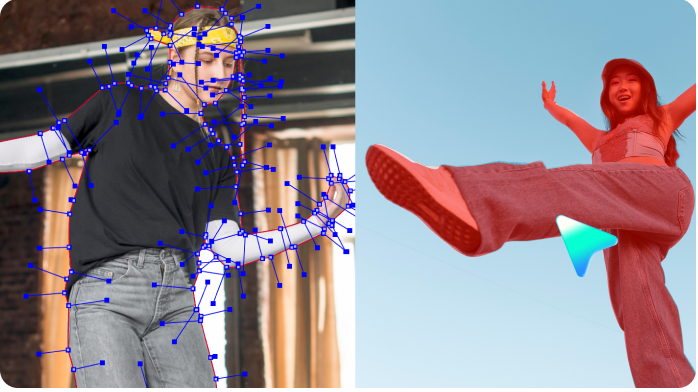
Portrait Cutout
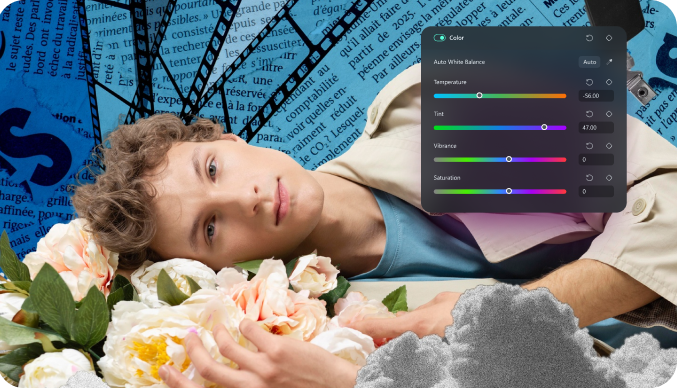
Pro Color Grading
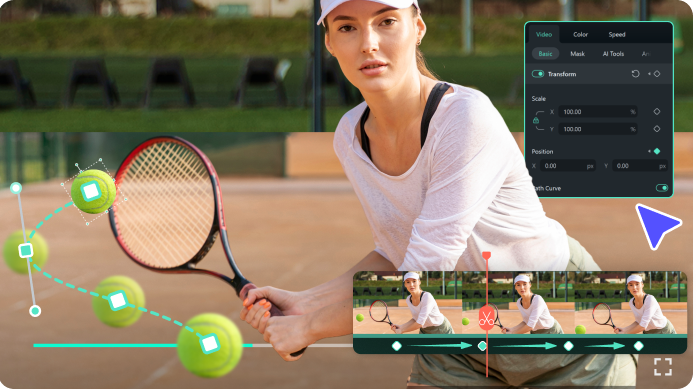
Path Curve
Planar Tracking
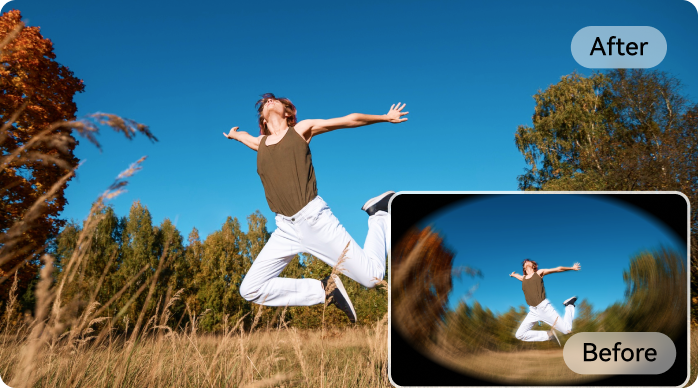
Lens Correction
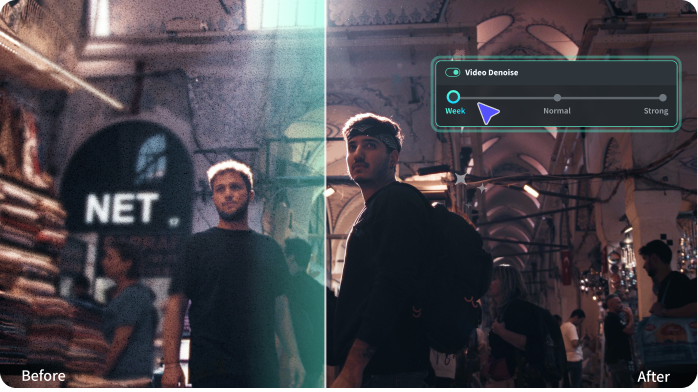
Video Denoise

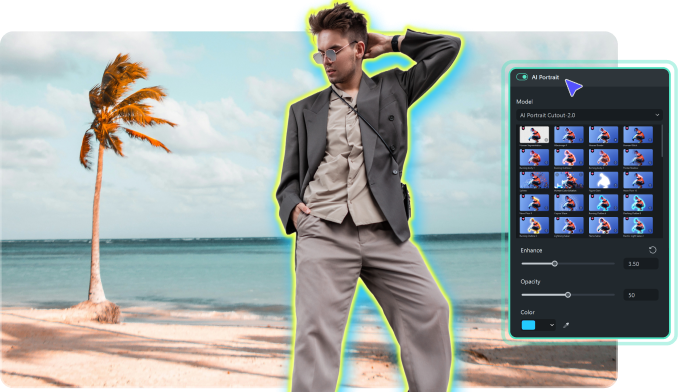
Portrait Cutout

Remove backgrounds and add stylized outlines for clean, eye-catching looks in a few clicks.

Pro-Level Color Grading

Adjust tone, contrast, and color balance with precise control to create cinematic visuals.

Path Curve

Use curve-based animation paths to move objects smoothly and tell visual stories with clarity.

Planar Tracking with Mocha

Track flat surfaces and pin text or images accurately. Even with built-in Mocha plugin, perfect for advanced object placement and motion graphics.

Lens Correction

Fix distortion from wide-angle and action cameras to restore natural perspective.

Video Denoise

Reduce noise in low-light footage to keep your videos clean and professional.
pic
pic
pic
pic
pic
pic

20+ smart AI tools to boost your creativity

Explore over 20 AI-powered features that help you create faster, edit smarter, and tell better stories with less effort.

pic

AI Video Generator

Turn your text ideas into polished videos using Google's latest Veo 3 model, with natural motion and vivid scenes.
pic

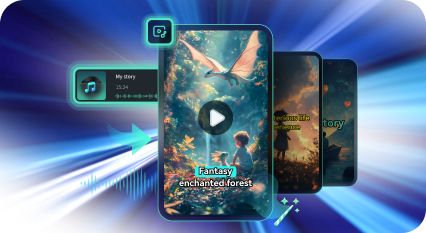
AI Audio to Video

Analyze voice narration and automatically build a video with matching visuals and structure.
pic

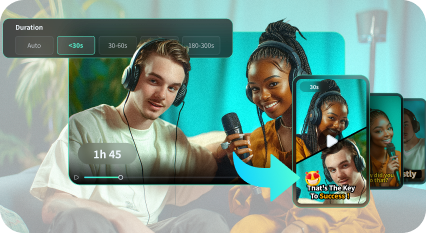
Smart Short Clip

Instantly transform long-form content into ready-to-share short videos optimized for social media.
pic

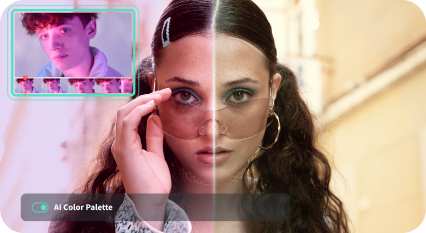
AI Color Palette

Extract color schemes from any reference and apply them to your video for consistent visual style.
pic

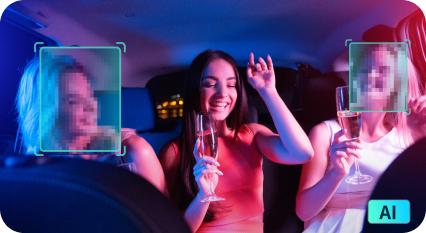
AI Face Mosaic

Detect faces in your video and add smart mosaic effects that track movement automatically.
pic

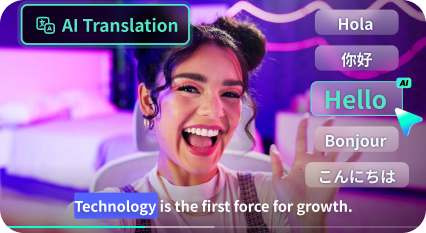
AI Translator

Translate videos into 23 languages with synced lip movements for more natural and engaging results.

Trusted by Creators Worldwide

filmora reviews on google play store stars

4.2 | 8020 Ratings

filmora reviews and ratings on g2 stars

4.4 | 318 Ratings

filmora reviews and ratings on capterra stars

4.5 | 710 Ratings

video editor for director
Cameron Mayhill
US Director
I truly appreciate the ability to merge multiple short videos together to create something magical. This feature allows me to take several clips, each showcasing unique moments, and combine them into a single, cohesive piece of art. By merging these short videos, I can enhance storytelling and capturing a range of emotions.
filmora for film maker
Kriti Agarwal
Content and Film Programmer
I use this software on a daily basis to edit my company's videos. Unlike most video editing software, Filmora rarely lags, making it an excellent choice for everyday use. Editing techniques like zoom, pan, and duration, which often take minutes or even hours to figure out in other software, can be done with just a click of a button in Filmora.
filmora user avatar michael
Michael Espiritu
Graphic Designer / Web Developer
It has a built-in screen recording feature, which was very useful for my last project. The interface is visually appealing and easy to use. The ability to record in high definition greatly benefited my project. Additionally, downloading the screen recordings is free.
video editing ai
Sayani Karmakar
Prep Artist
I really like the software interface, and the editing process is fun and easy as well. The output quality is excellent, and the variety of templates is very easy to work with. It uses a drag-and-apply method and even supports CUDA-based rendering. It solves beginners' editing needs, allowing them to edit easily and fluently without much effort.
filmora user avatar teerath
Teerath Pehlaj
Frontend Developer
Filmora stands out for its simplicity compared to most editing programs. Essential tools like rotate, merge, trim, divide, crop, Green Screen, Audio Mixer, and AI Video Enhancer and AI Portrait Cutout are all easily accessible. You can save your video in any format and at any desired resolution.
filmora user avatar rogelyn
Rogelyn Torrejano
Coordinator at The CMO Network
Filmora feels like a personal Swiss Army knife for editing in my toolbox. It's ideal for quick social media edits, with an intuitive interface and drag-and-drop functionality that make piecing clips together effortless. It strikes the perfect balance between user-friendliness and power, making it a great choice for video creation.
filmora user avatar
Sameer Pai
Consulting Director
The software offers affordable pricing, frequent updates and improvements, and a user-friendly interface, along with an extensive collection of effects, transitions, and overlays; it provides Smart Short clips with super quick rendering and instant templates, making it ideal for YouTube, Instagram, and other social media videos.
avatar farid
Farid Minawi
Physics Teacher
The intuitive and straightforward user interface reveals the powerful mechanics of professional video editing. I often use this software to create rich educational tutorials that require illustrative clips. While it may not be Adobe Premiere, it allows you to produce attractive video clips without needing technical courses or extensive tutorials.
user avatar roszaimy
Roszaimy Yaacob
Senior Instrumentation Control Engineer
I am not a professional videographer or video editor, but my work often requires me to submit screen recordings with sensitive information blurred out to maintain confidentiality. While it's easy to handle this with static photos, options for 3-5 minute screen recordings are limited. After researching various solutions, we chose Filmora.
user avatar
Belinda Mugambi
Digital Marketing Consultant.
Wondershare Filmora is easy to use for a beginner with an intuitive interface that allows you to manage your project from start to finish. Compared to other platforms the elements are well categorized and easy to find.
Filmora Logo

Ready to switch to faster, easier editing?

Download Filmora free and start editing today — no credit card required.